
What Fluent Event does today.
Publish event pages, take registrations, manage guests and send reminders. With FluentCommunity, run the same events inside your spaces.
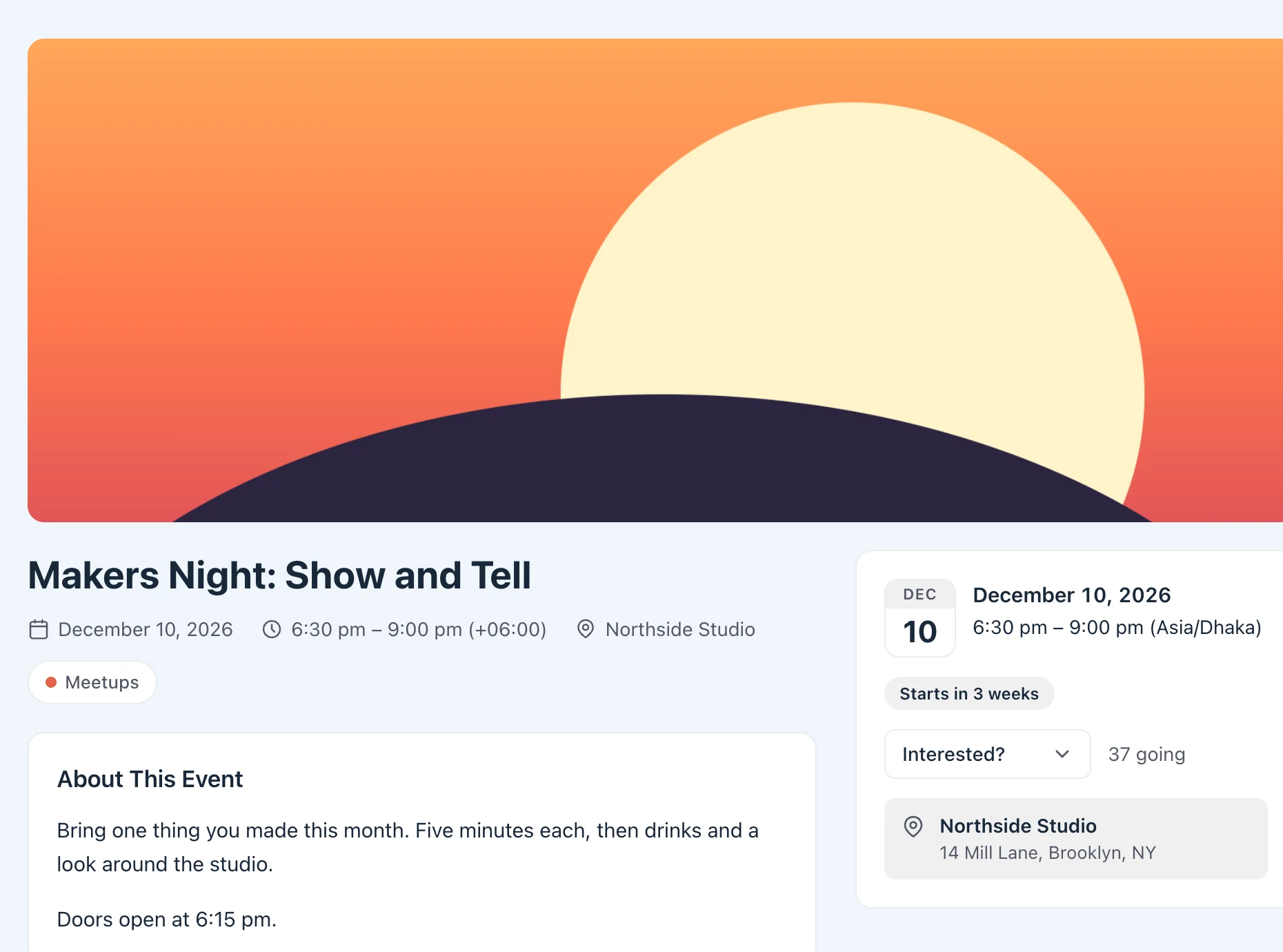
An event page with the details guests need.
Each event has its own page at /event/your-event/, with its cover, description, schedule and location.
- Cover image, name and a rich description
- Dates and times for single-day or multi-day events, with a time zone
- In person with a venue and address, or online with a meeting link
- Four statuses: Public, Unlisted (link only), Private and Draft
Choose RSVP, Open registration or View only.
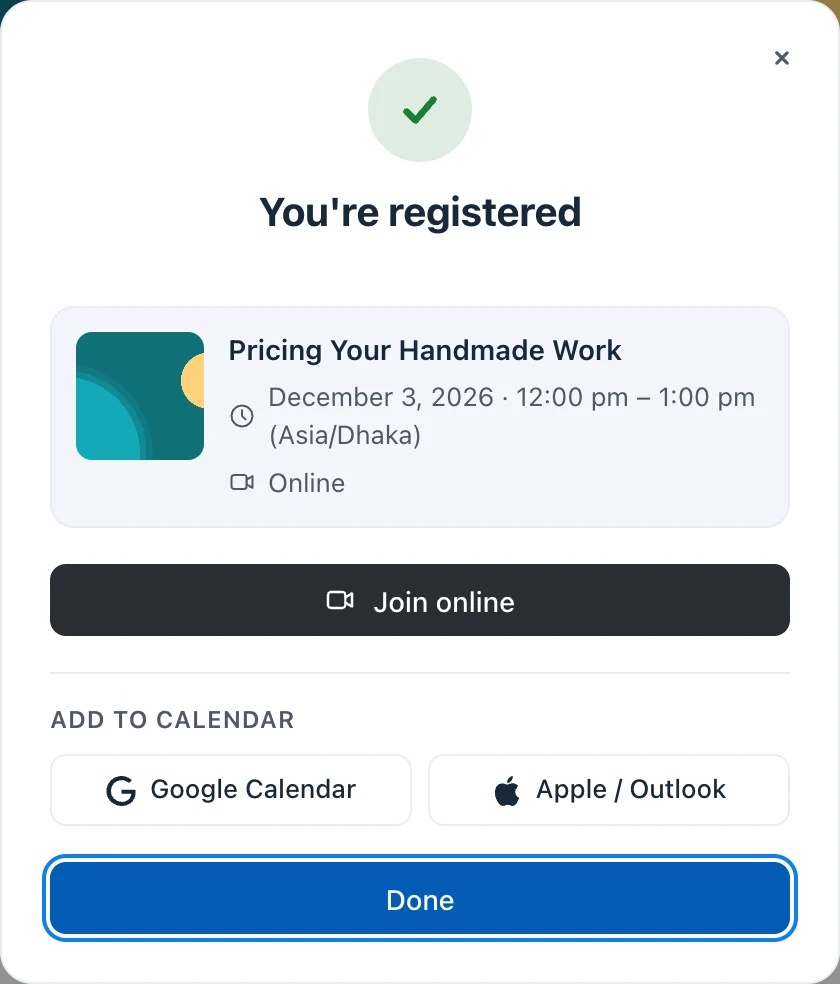
Decide for each event whether guests RSVP, register with a name and an email, or read the event without registering.
- RSVP: guests say they are going
- Open: a Register button, then name and email
- View only: nobody registers and the whole event is visible
- On RSVP and Open events, only registered guests see the meeting link
- Show or hide the guest count on each event
- Spam protection on public registration forms
List your events on any page.
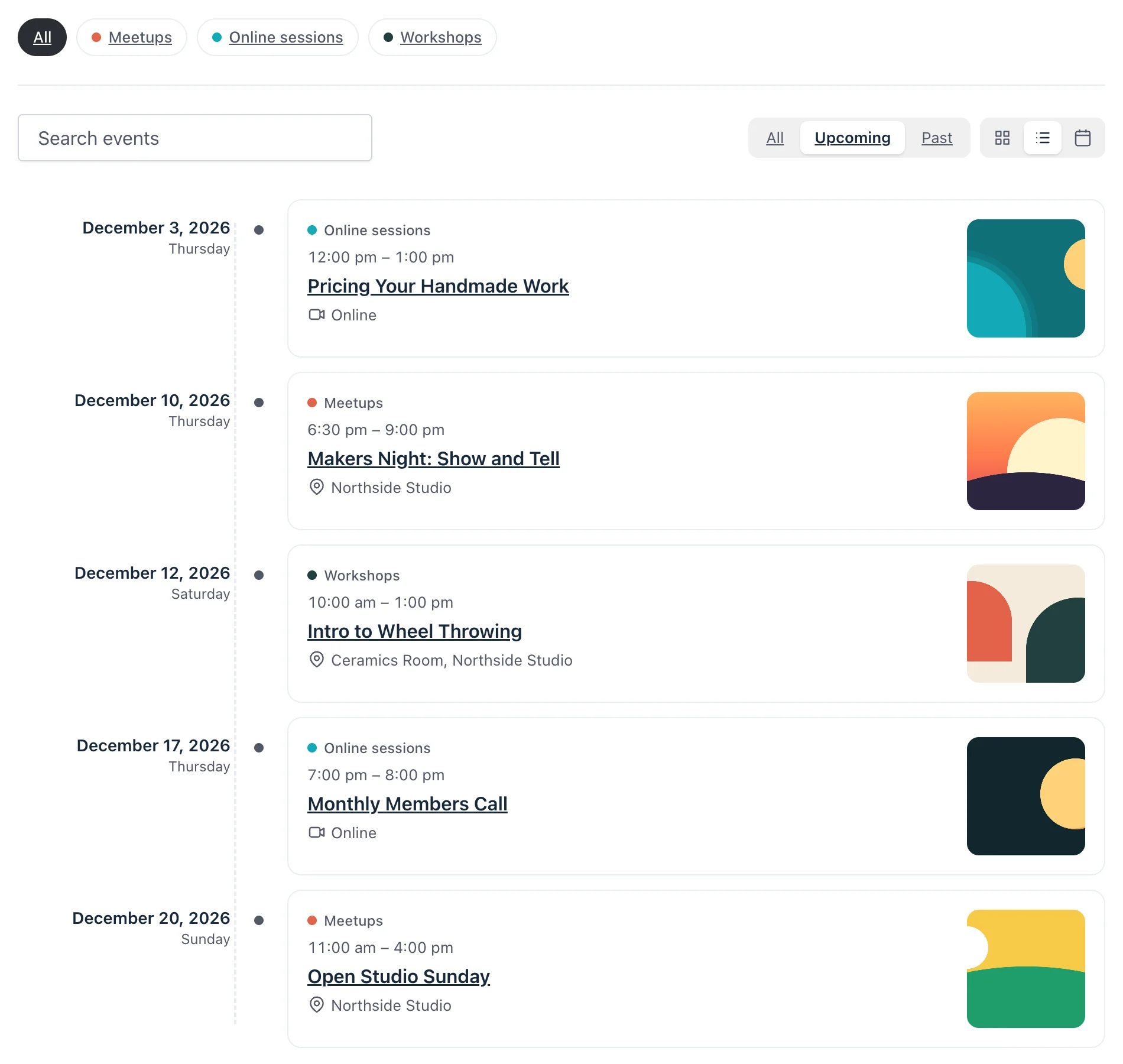
Add the Fluent Events block or the [fluent_events] shortcode. Visitors filter by calendar, search, and switch between three views.
- Cards, Timeline and Calendar views
- A chip for each calendar, plus search
- All, Upcoming and Past filters
- A single event anywhere with [fluent_event] or its block
- Private and draft events have no public page
- Uses your theme's layout, with dark mode on themes that support it
Group events in calendars.
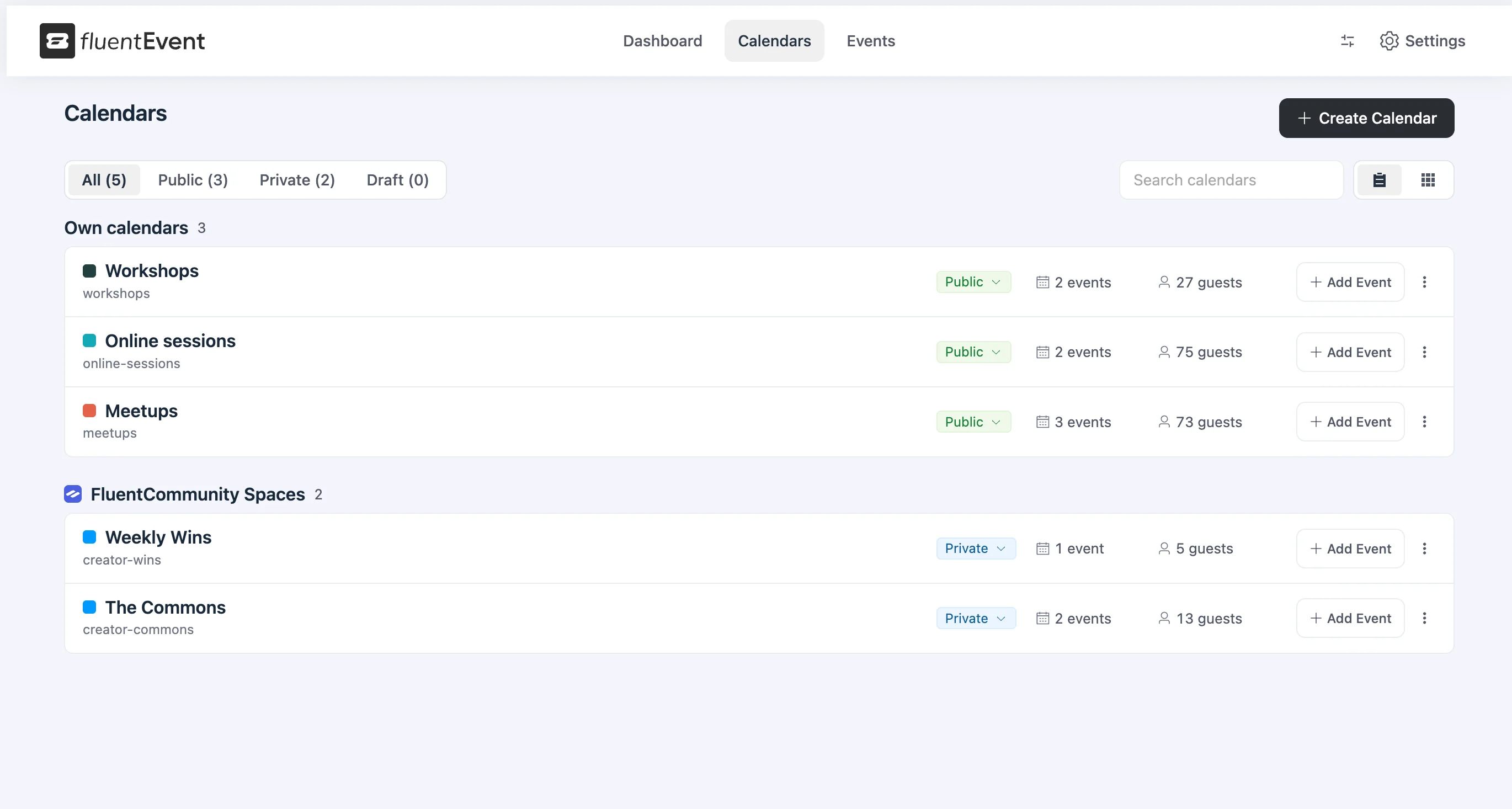
A calendar is a group of events with a name and a color. Use one for each series, team or space.
- Public, Private or Draft
- List and card views in the admin
- Events, upcoming events and guest totals for each calendar
- FluentCommunity spaces get their own calendars
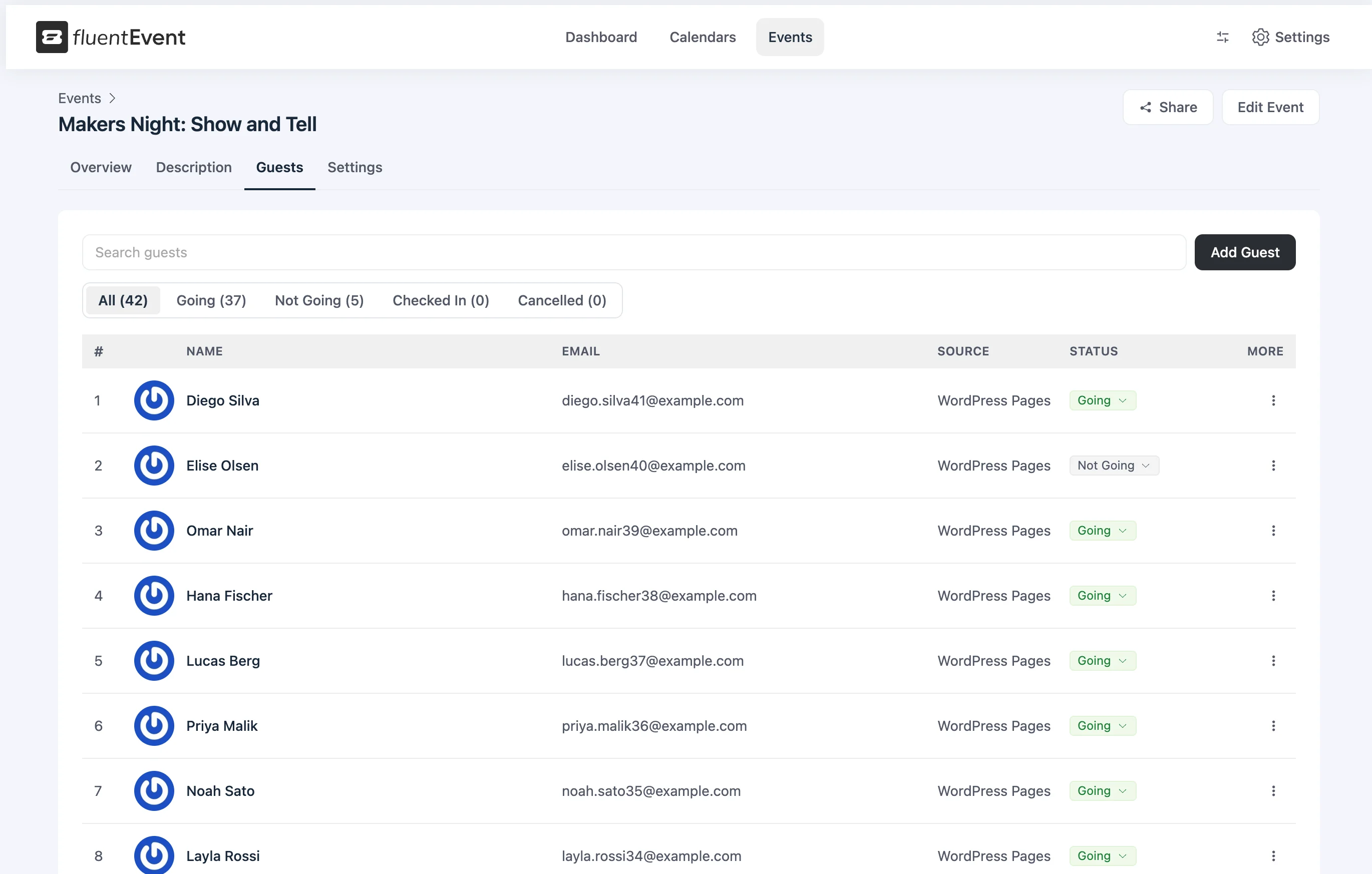
Manage registrations and check guests in.
Every registration is a row in the guest list. Search it, filter it, and check guests in at the door.
- Add, edit and remove guests
- Going, Not going, Checked in and Cancelled
- Check-in with a timestamp
- Search and filter by status
- An optional cancellation email when you remove a guest
Confirmations and reminders, sent for you.
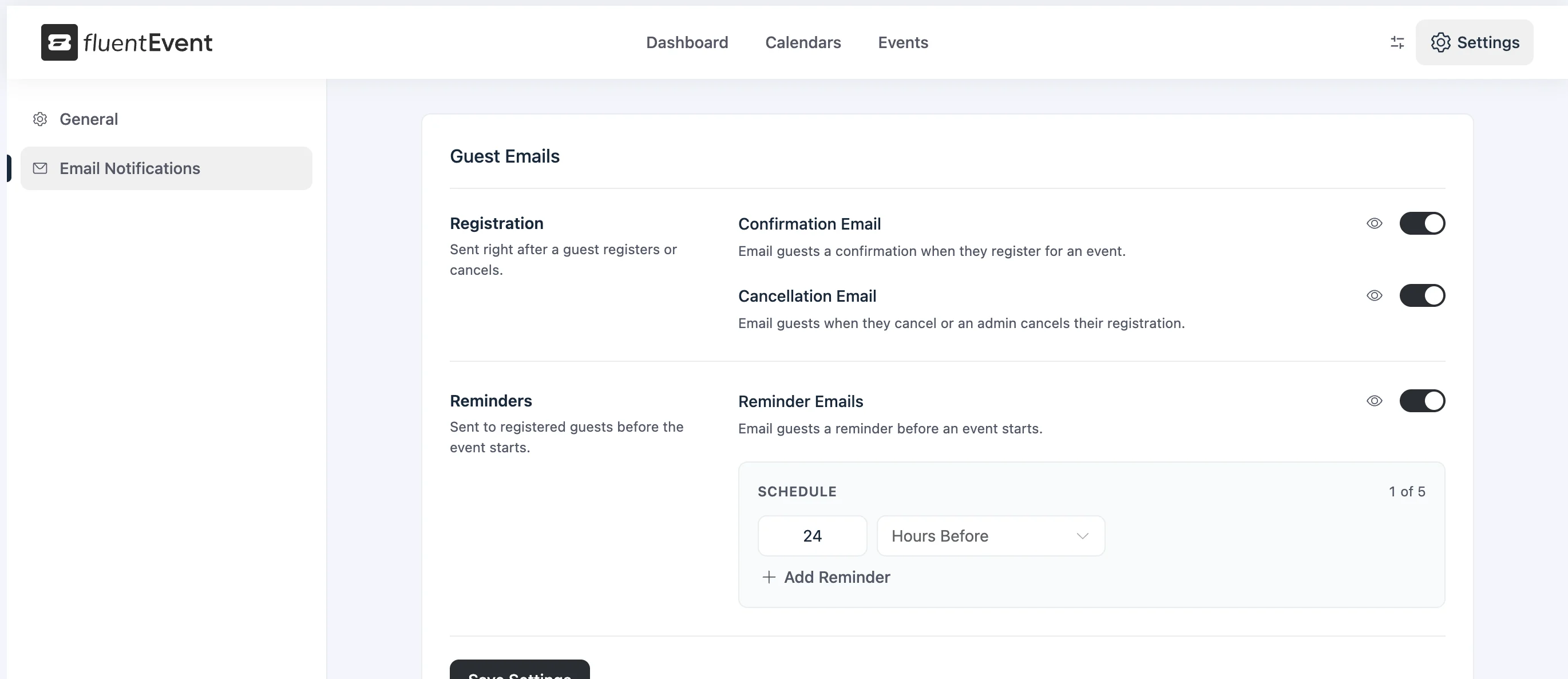
Guests get a confirmation when they register and reminders before the event, sent with your sender details.
- Confirmation when a guest registers
- Up to five reminders before the start. The default is 24 hours before
- Cancellation notice
- From name, reply-to and a footer for every email
- Turn each email on or off, and preview it
One dashboard for every event.
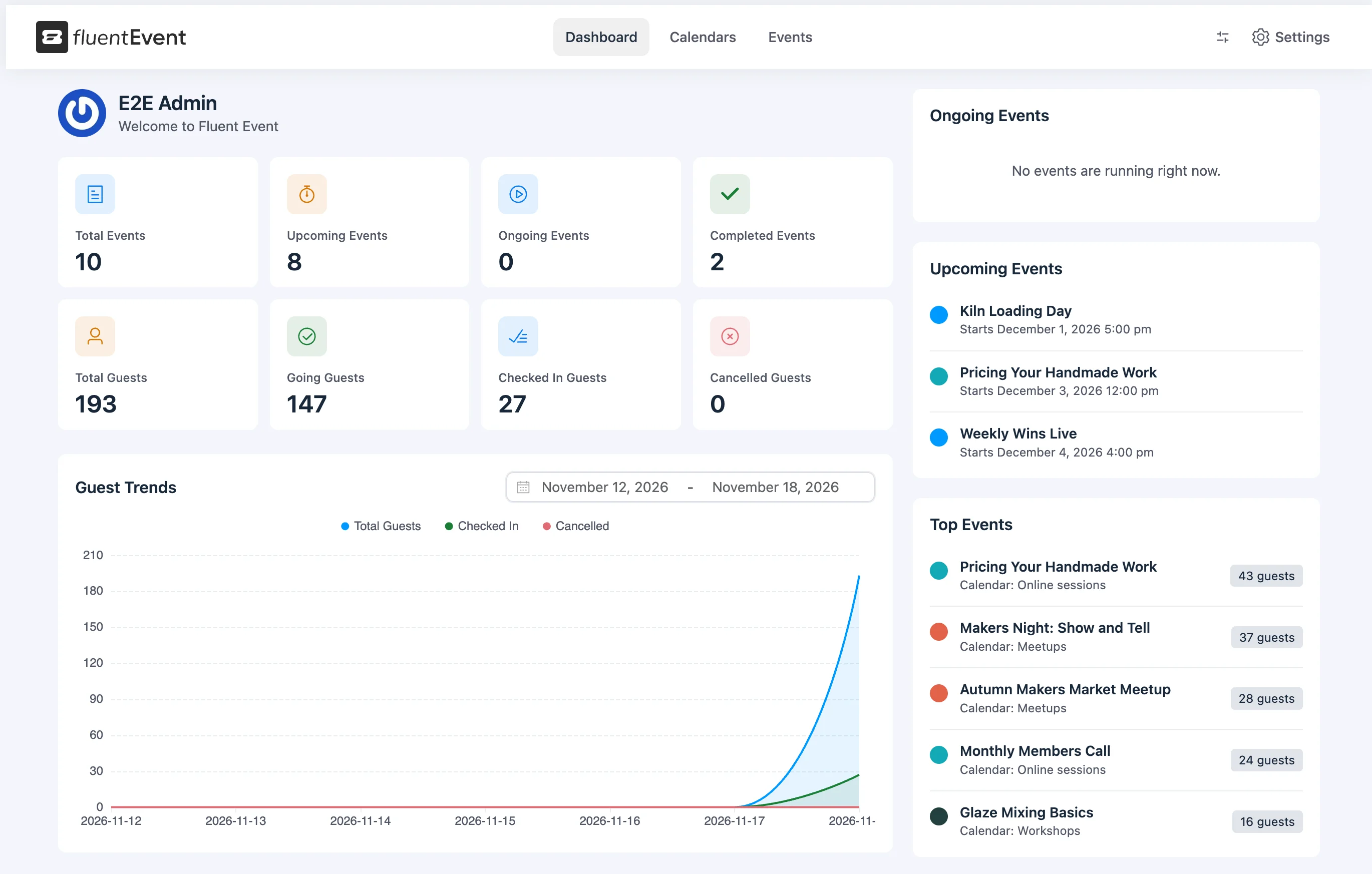
Track ongoing and upcoming events, guest totals and registration trends.
- Events in cards, a timeline or a month, week and day calendar
- Filters for calendar, date range and status
- Guest statistics and a guest trend chart
- Light, dark or system color theme
- Translation ready, with RTL support
Publish your first event.
Download Fluent Event, create a calendar and publish an event page.
Free · GPL · WordPress 7.0+ · PHP 7.4+